Withdrawal of funds via international bank (SWIFT) transfer
To withdraw funds via international bank (SWIFT) transfer, you must:
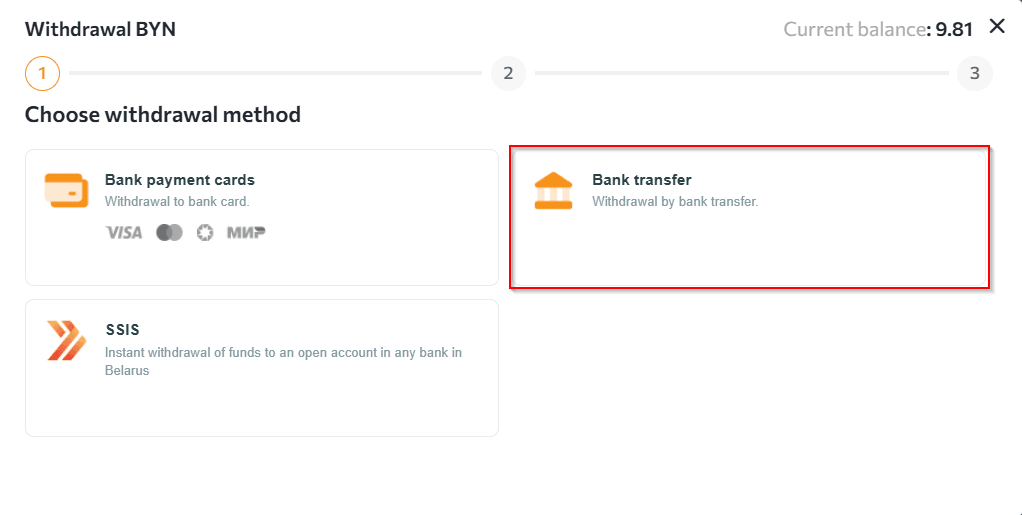
- Go to the "Wallets" section, select the required currency, click the "Withdrawal" button and then select the "Bank transfer" method.
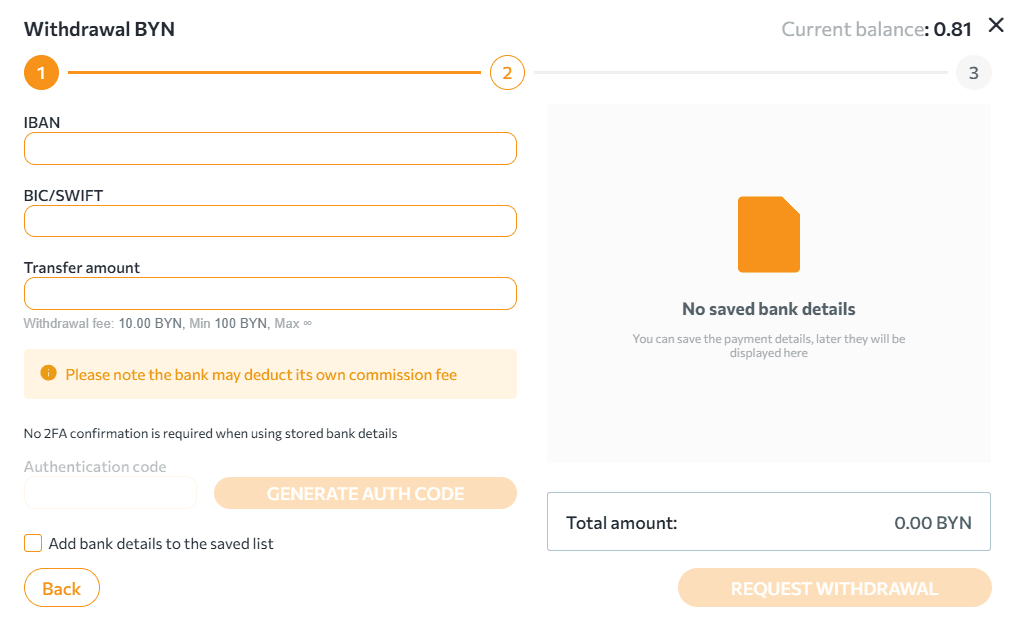
- After clicking the "Next" button, fill in:
- IBAN - the recipient's current account in international format;
- BIC - the recipient's bank code;
- the transfer amount.
- Generate an OTP code, enter it in the appropriate field and click "Withdraw". When withdrawing to saved details, you do not need to generate an OTP code.
 NOTES:
- when withdrawing funds, the amount of the withdrawal fee is calculated in accordance with the established rates and the final amount (taking into account the transfer amount), which will be debited from the wallet.
- details of the withdrawal request can be tracked in the "Wallets" section at the bottom of the page.
- processing of requests for withdrawal by international bank (SWIFT) transfer takes up to 5 banking days.
Any questions left? Write to us: support@tradex.by, or create a ticket in your TRADEX personal account through the "Help" section.