Withdrawal of funds via the SSIS system
To withdraw funds via the SSIS system, you must:
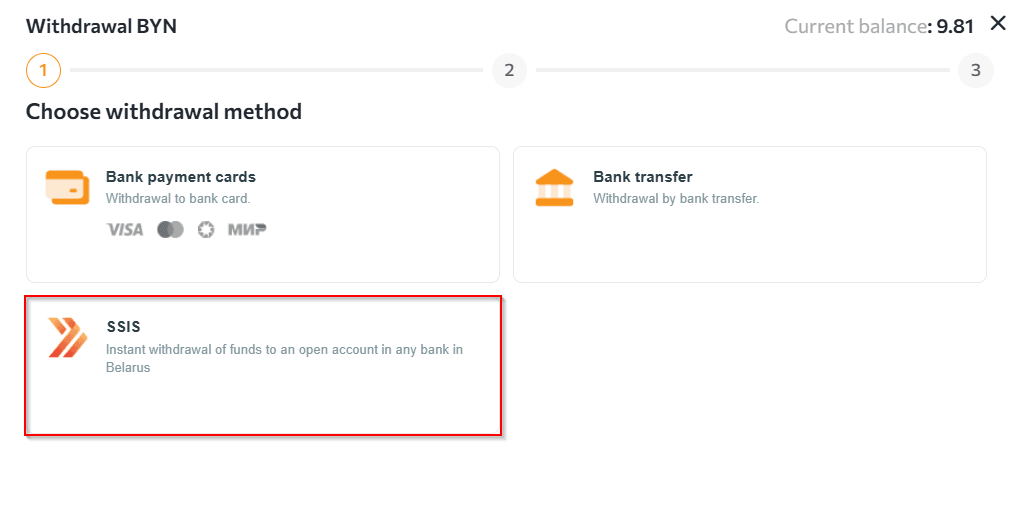
- Go to the "Wallets" section, select the BYN currency, click on the "Withdrawal" tab and select the "SSIS" withdrawal method.
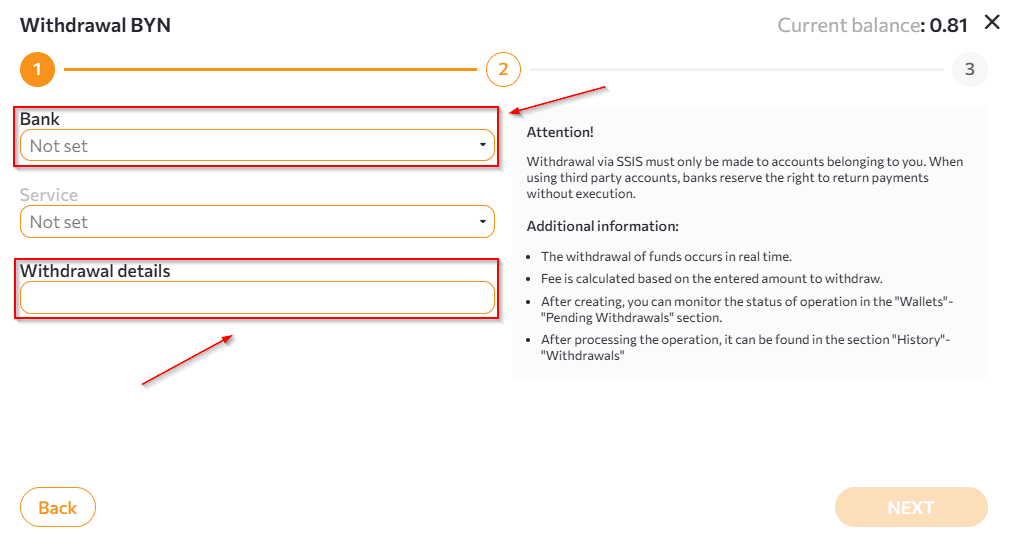
- Select the name of the recipient bank and specify the details for making the withdrawal.
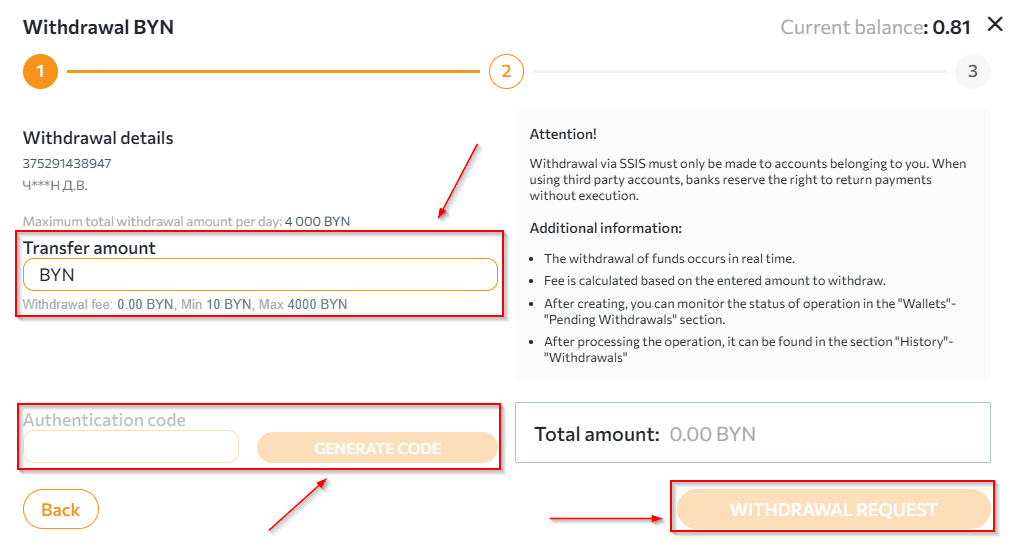
- After clicking the "Next" button, check and fill in the following information in the window that opens:
- check the recipient's details;
- enter the transfer amount;
- generate the OTP code;
- submit a withdrawal request.
 NOTES:
 - you can only withdraw funds from your account via the SSIS system in Belarusian rubles.
- each bank has its own details for replenishing an account/card, this information must be clarified with the recipient bank.
- withdrawal request details can be tracked in the "Wallets" section at the bottom of the page.
- withdrawal requests are processed within 1 hour.
Any questions left? Write to us: support@tradex.by, or create a ticket in your TRADEX personal account through the "Help" section.