Replenishment via the SSIS system
To replenish your personal account with Belarusian rubles (BYN) via the SSIS system, you need to:
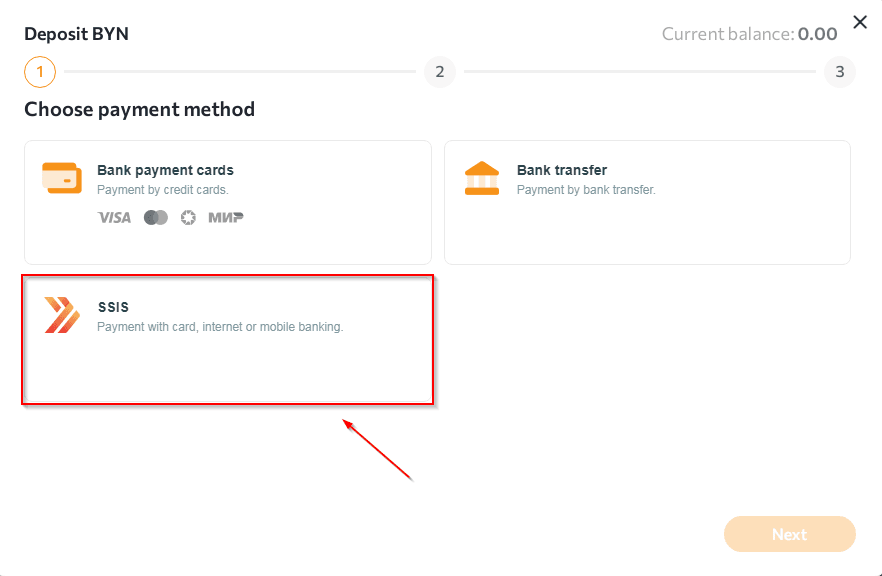
- Go to the "Wallets" section, select the BYN currency, click on the "+Deposit" tab and select the "SSIS" replenishment method.
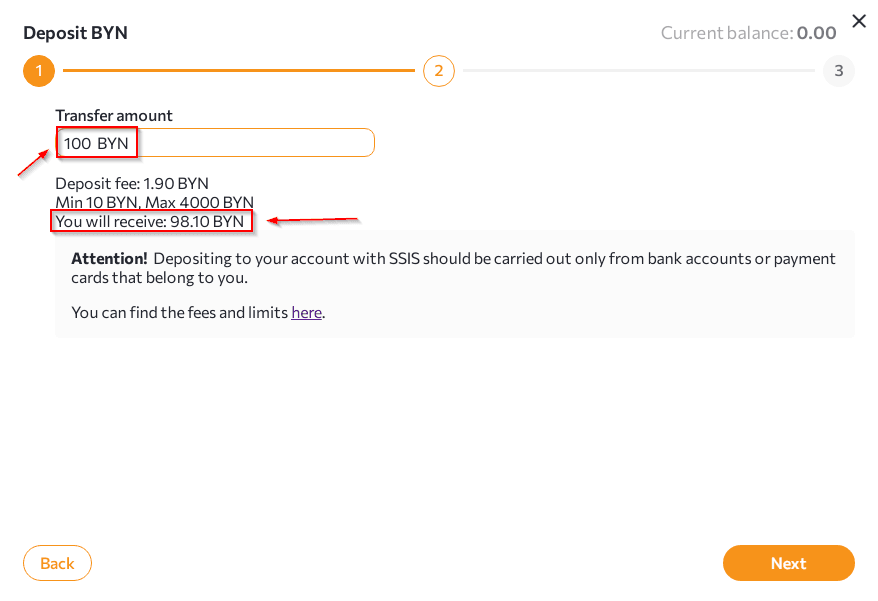
- Specify the amount you want to replenish and click "Next".
Please note that in the "Transfer amount" column, you must specify the amount taking into account the commission fee. The amount that will be received in the wallet is displayed in the "You will receive" column.
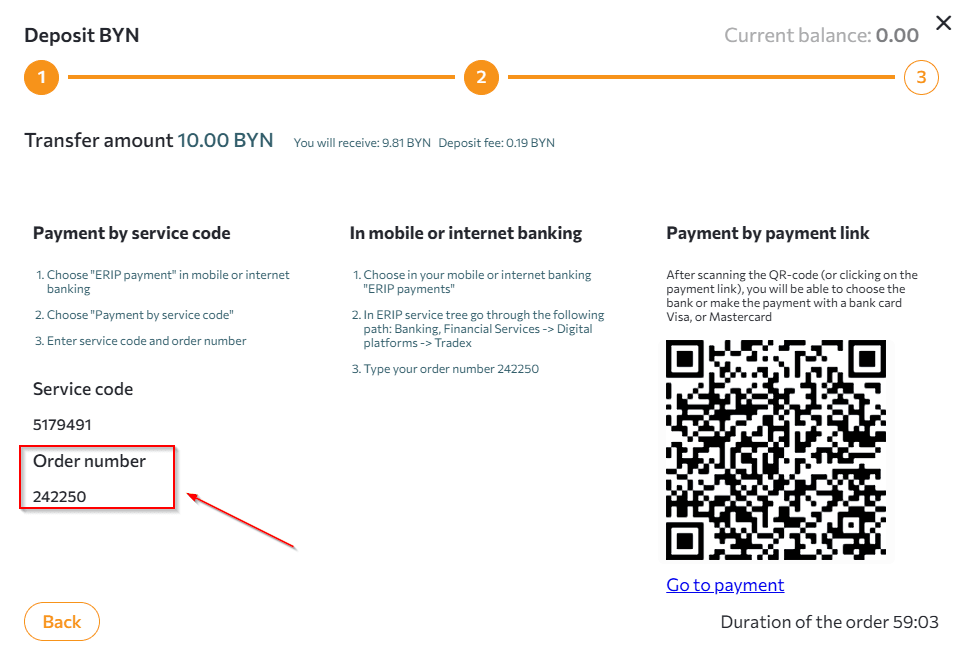
- After clicking the "Next" button, the transfer details, order number and instructions for making a payment via SSIS will appear. Enter the order number in the SSIS tree following the instructions.
 NOTES:
- you can only replenish your account via SSIS with Belarusian rubles.
- the order is valid for 1 hour.
- details of the processing of the application for replenishment of funds can be tracked in the "Wallets" section at the bottom of the page.
- processing of applications for replenishment occurs within 1 hour.
Any questions left? Write to us: support@tradex.by, or create a ticket in your TRADEX personal account through the "Help" section.