Withdrawing cryptocurrency
To withdraw cryptocurrency, you need to:
- Go to the "Wallets" section, select the cryptocurrency you want to withdraw and click the "Withdrawal" button.
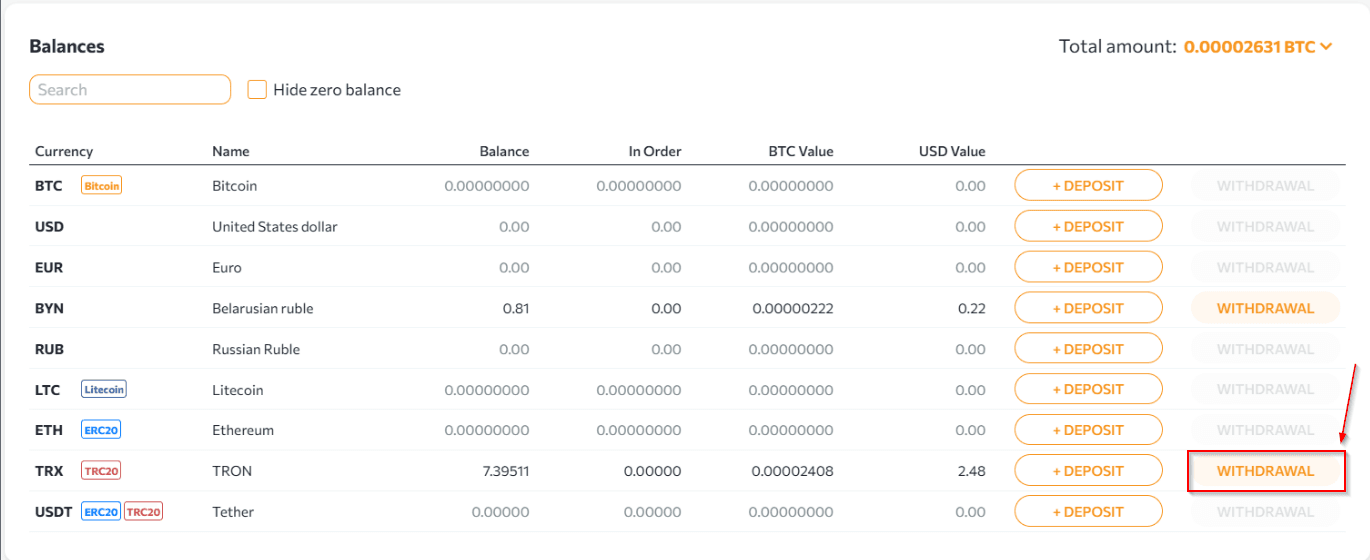
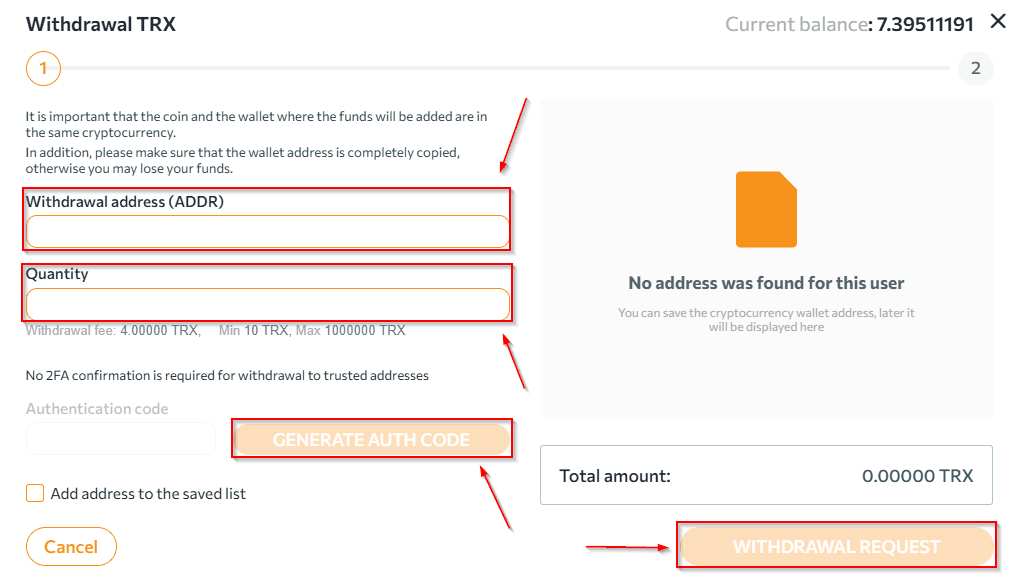
- After clicking the "Withdraw" button, fill in:
- the address of the wallet to which the cryptocurrency is withdrawn;
- the amount of cryptocurrency to be withdrawn.
- Click the "Generate" button, copy the received code, enter it in the appropriate field and click "Withdraw".
 PAY ATTENTION:
- you must make sure that the network you are going to use for replenishment matches the network supported by the service to which you are making the withdrawal.
- make sure that you have copied the address for the withdrawal of the desired network.
- if you enter incorrect information when making a transaction, your cryptocurrency may be irretrievably lost.
- when withdrawing cryptocurrency, the withdrawal fee is calculated in accordance with the established rates and the final amount (taking into account the transfer amount) that will be debited from the wallet.
- make sure that the information you provided is correct.
Please be careful when making each transaction.
NOTES:
- withdrawal request details can be tracked in the "Wallets" section at the bottom of the page.
- withdrawal requests are processed within 1 hour.
Any questions left? Write to us: support@tradex.by, or create a ticket in your TRADEX personal account through the "Help" section.